
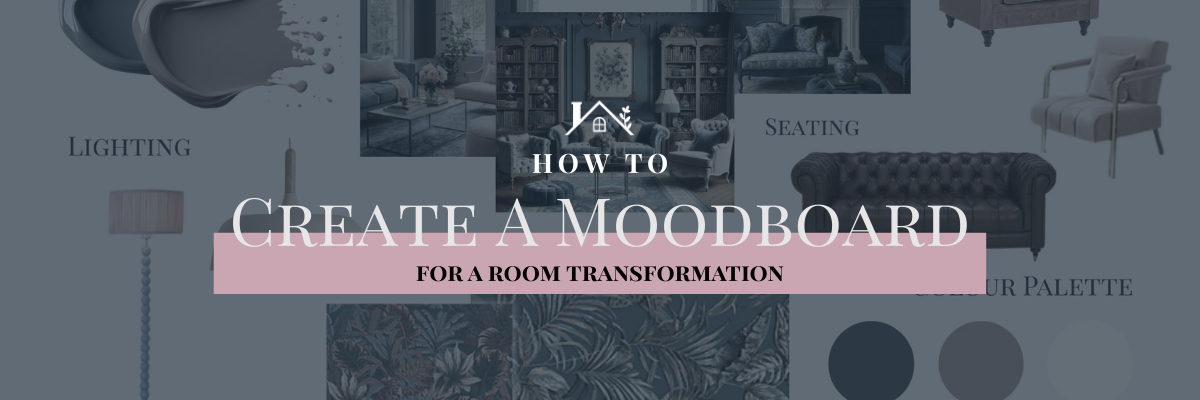
How to Create a Moodboard for a Home Renovation Using Pinterest and Canva
Planning a home renovation can feel overwhelming — especially when you’re renovating a character property or listed building, where every decision matters and changes can be costly. One of the simplest ways to bring clarity to your ideas before the dust, disruption and design decisions begin is to create a moodboard.
Using Pinterest to gather inspiration and Canva to pull it all together, you can create a clear, visual direction for your renovation or room trannformation — without needing a designer or expensive software.
I love a good moodboard, here’s how I easily get my ideas out of my head and onto paper.
Why Moodboards Are Essential for Renovations (Especially Older Homes)
When renovating a period or listed property, it’s easy to fall into one of two traps:
- Playing it too safe and losing character
- Mixing too many styles and ending up with a confused space
I find a moodboard helps ensure you strike a balance.
It allows you to:
- Visualise the finished space before committing
- Keep character and history front of mind
- Make confident decisions on paint, materials and finishes
- Communicate your vision clearly to trades and suppliers
Think of it as your renovation compass — something to return to whenever decisions feel hard. I quite often find I’m still updating/tweaking as the journey moves on and I learn more about the building.

Step 1: Create a Focused Pinterest Board
Pinterest is your starting point for exploration.
Name Your Board Clearly
Instead of something vague, be specific:
- Victorian Farmhouse Living Room Moodboard
- Listed Building Kitchen Renovation
- Neutral Country Bedroom Ideas
This helps Pinterest serve you better suggestions — and keeps your ideas cohesive. You can then break it down into sections within that board. I did this to keep all the bathrooms together, but then had a section for each specific bathroom. You could also use to split out flooring from lighting etc. Whatever works best for you.
Pin Generously (At First)
At this stage, don’t analyse too much. Pin anything that:
- Stops you scrolling
- Feels like the atmosphere you want
- Includes colours, textures or layouts you’re drawn to
Look for:
- Whole rooms
- Close-ups of finishes
- Architectural details
- Lighting styles
- Flooring Styles
Aim for 25–40 pins initially.
Step 2: Edit Ruthlessly
This is where the magic happens.
Go back through your board and remove anything that:
- Feels trendy rather than timeless
- Doesn’t suit the age or character of your home
- Clashes with the overall mood
Patterns will start to emerge — similar tones, materials, layouts or styles. That’s your direction revealing itself.
Step 3: Identify Your Core Renovation Style
Before you open Canva, take a moment to get clear on the big picture.
Ask yourself:
- Is this space warm or light?
- Rustic or refined?
- Traditional with modern touches?
Most renovation moodboards come down to:
- 2–4 core colours
- 1–2 dominant materials
- One clear overall feeling
You’re not choosing exact products yet — you’re defining the vibe.
Step 4: Build Your Moodboard in Canva
Canva is perfect for turning inspiration into something tangible.
Choose a Simple Layout
Search Canva for:
- “Interior moodboard”
- “Collage”
- Or use a blank A4 or square canvas
Simple layouts work best, especially for renovation planning.

Add Your Pinterest Images
Download your favourite pins and upload them to Canva.
Tips for arranging:
- Mix wide shots with close-up details
- Group similar tones together
- Leave breathing space — less is more
Your board should feel calm and intentional, not busy.
Step 5: Add Colour Swatches and Materials
This is what transforms a moodboard from inspiration to a working tool.
Include Colour Blocks
Use Canva’s shapes to add swatches representing:
- Wall colours
- Wood tones
- Accent shades
You can sample colours directly from images using Canva’s colour picker.
Optional Notes
Light, minimal text works well:
- “Warm neutral walls”
- “Natural timber throughout”
- “Soft aged brass finishes”
This is especially helpful if you’ll be sharing the moodboard with trades or suppliers. You can also play around with Canva’s elements if you want to add graphics such as arrows, or in my case, a paint ‘splodge’ to help really bring the paint colours to life.
Step 6: Sense Check Before You Commit
Step away and come back later.
Ask yourself:
- Does this feel cohesive?
- Does it suit the age of the property?
- Will I still love this in five years?
If something feels off, tweak it. Moodboards are meant to evolve — just like renovations. Quite a few of mine are still being tweaked now, as my ideas develop.
Final Thoughts: Progress Over Perfection
A renovation moodboard isn’t about having all the answers — it’s about creating confidence.
Using Pinterest and Canva together gives you:
- Direction without pressure
- Inspiration without overwhelm
- A clear vision to guide every decision
If you’re renovating a home with history, this step is invaluable. It keeps the soul of the house intact while making it work for modern life.
👉 If you’re mid-renovation, you’ll find more moodboards, real-life decisions and honest progress over on my renovation playlists on YouTube — don’t forget to subscribe so you don’t miss what’s next.
Leave a Reply